

Professional Invoices with Crypto Payment
Shakesco lets you create branded invoices and send them to customers with a crypto payment link included. Customers pay through a secure checkout and you receive a receipt and confirmation automatically.Creating an Invoice from the Dashboard
Go to users.shakesco.com/invoices to create and manage invoices.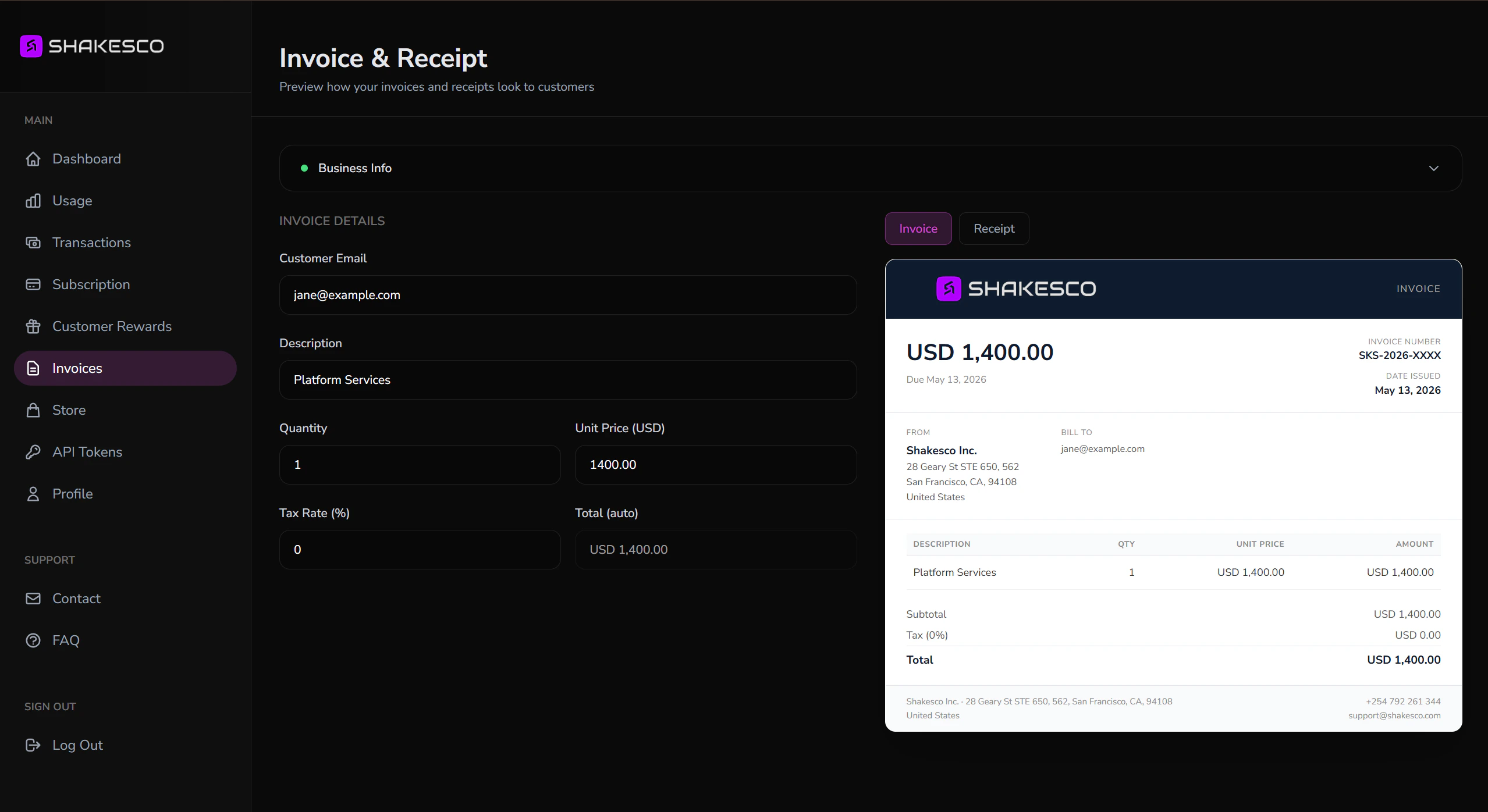
Invoice form
Fill in the details on the left. The preview on the right updates live:- Customer Email: where the invoice is sent (optional for walk-in customers)
- Description: line item name (e.g. “Platform Services”)
- Quantity: number of units
- Unit Price (USD): price per unit
- Tax Rate (%): applied to the subtotal
- Total: calculated automatically
INV-2026-a1b2c3d4), a due date, and your business details automatically.
What Happens Next
- Customer receives the invoice by email with a Pay Now link.
- They open the secure checkout at
pay.shakesco.comand pay with crypto. - You both receive a receipt with the transaction details.
Before You Send
A few things to keep in mind when you create invoices:- Minimum amount is $1. Because of how private transactions settle, request a total of at least $1. If you need to charge less, contact us first.
- Prefer USDT or SATS. Both settle fast and cheap, so they are the best assets to receive. For USDT, use a private invoice where possible so no one can see your financial activity.
Create Invoices via API
For high-volume or automated invoicing, use the Payments API:Using the Payment URL
Once you have thepayment_url from the API response, you can present it to customers in two ways.
Embed as a Button
Add a Pay with Shakesco button to your website or app that links directly to the payment URL. The link opens the Shakesco app via deep link if installed, or falls back to the web checkout in the browser:Display as a QR Code
For in-person or printed payments, render thepayment_url as a QR code. The customer scans it with any camera app to open the payment page:
Invoice API Reference
Full documentation: create, void, and query invoices
Next Steps
Add Store Items
List products customers can buy from your link
API Overview
Analytics, store queries, and more