> ## Documentation Index
> Fetch the complete documentation index at: https://docs.shakesco.com/llms.txt
> Use this file to discover all available pages before exploring further.
# Get Paid with One Link
> Accept crypto payments with a simple shareable link - no code required
For the complete documentation index, see [llms.txt](/llms.txt).
## Accept Payments with a Link
Share a simple URL and start receiving crypto payments instantly. Whether you're selling products, offering services, or collecting donations, payment links make it effortless.
**Your payment link:**
```
https://pay.shakesco.com/@your-shakesco-handle
```
No website needed. No checkout integration. Just share the link.
## Why Payment Links?
Accept payments from anyone, anywhere with no geographic restrictions
Optional privacy mode keeps payment details confidential
Start accepting payments in seconds with just a link
Set preset amounts or let customers enter their own
## How It Works
Register your .sns name in the Shakesco app
Set payment amounts and privacy preferences from your profile
Send via email, social media, or embed on your website
Customers complete checkout and you get paid instantly
## What Customers See
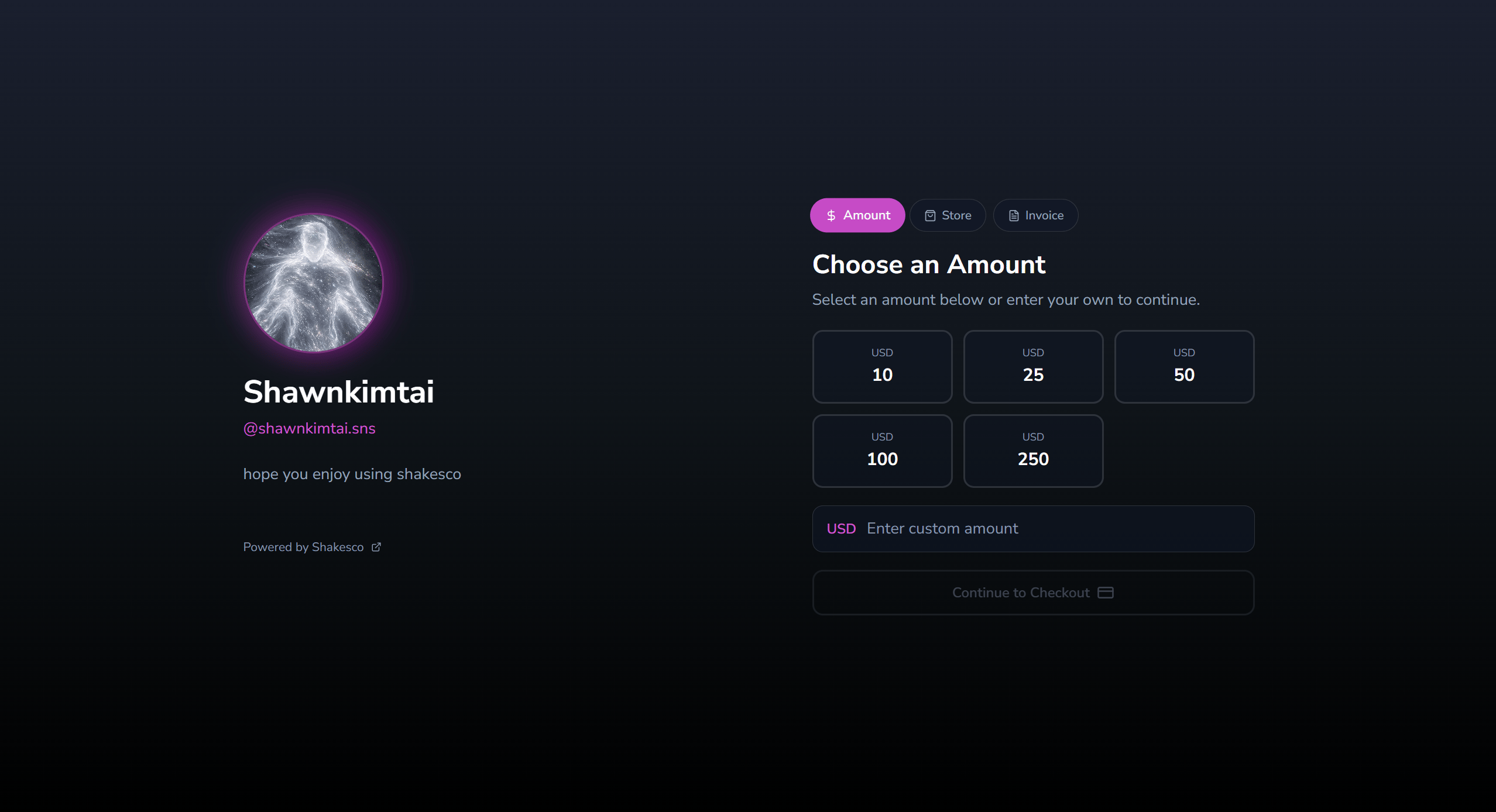
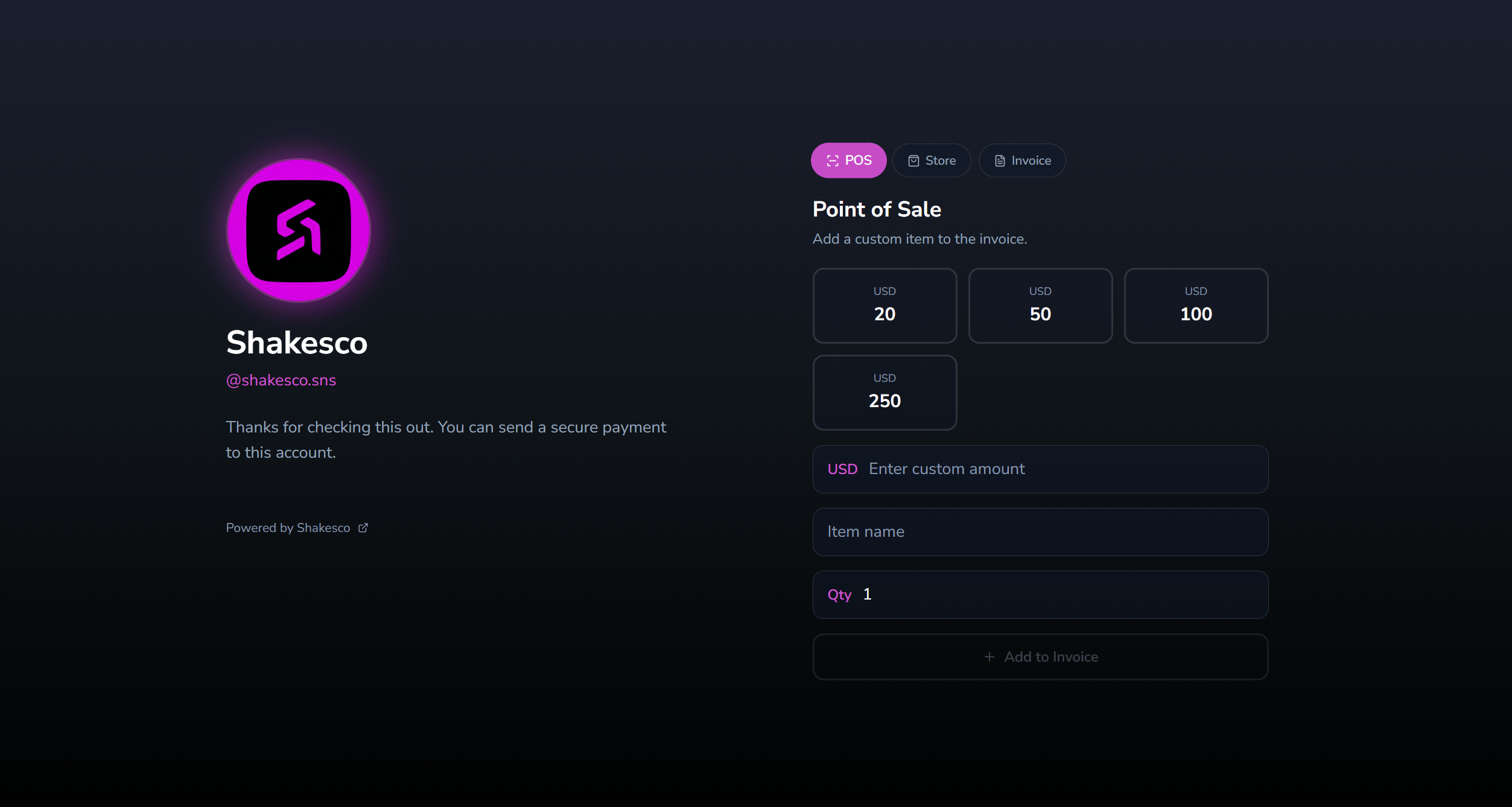
When someone visits your payment link they can choose how to pay: by amount, from your store, or via an invoice. Personal accounts and business accounts each have their own tailored checkout experience.
**Personal link**: visitors choose an amount or enter a custom value:
 **Business link**: includes a Point of Sale tab for adding custom items to an invoice on the spot:
 ## Configure Your Payment Link
Open the Shakesco app and navigate to:
**Transact → Payment Links**
### Choose Your Link Type
Different subdomains for different use cases:
| Link Type | URL Format | Best For |
| ----------- | ------------------------------------ | -------------------------------- |
| **Pay** | `pay.shakesco.com/@yourname.sns` | General payments, invoices |
| **Donate** | `donate.shakesco.com/@yourname.sns` | Fundraising, charitable giving |
| **Tip** | `tip.shakesco.com/@yourname.sns` | Creator tips, service gratuities |
| **Coffee** | `coffee.shakesco.com/@yourname.sns` | Small supporter contributions |
| **Support** | `support.shakesco.com/@yourname.sns` | Ongoing supporter funding |
| **Sponsor** | `sponsor.shakesco.com/@yourname.sns` | Sponsorships, partnerships |
All links function identically. Choose the subdomain that fits your brand and messaging.
## Payment Settings
### Set Preset Amounts
Configure suggested payment amounts that appear at checkout:
```
$5, $10, $25, $50, Custom
```
Customers can choose a preset or enter their own amount.
### Privacy Options
**Public payments:** standard checkout flow.
**Private payments:** uses stealth addresses. Transaction details are hidden on-chain.
Privacy setting is tied to your Shakesco username visibility. Change it anytime in the app.
## Share Your Link
### Direct Share
Copy and paste your link anywhere:
* Email signatures
* Social media profiles
* Direct messages
* Invoices
### Embed in Website
```html theme={null}
Pay with Crypto
```
### QR Code
Generate a QR code for your payment link for in-person payments.
## Examples
**Freelancer invoice:**
```
https://pay.shakesco.com/@designer.sns
```
**Content creator tips:**
```
https://tip.shakesco.com/@streamer.sns
```
**Open source project:**
```
https://sponsor.shakesco.com/@project.sns
```
**Coffee donation:**
```
https://coffee.shakesco.com/@writer.sns
```
## Next Steps
List products on your payment link from the dashboard
Create and send professional invoices to customers
Request payments, get analytics, and query your store via API
Transaction fee structure
## Configure Your Payment Link
Open the Shakesco app and navigate to:
**Transact → Payment Links**
### Choose Your Link Type
Different subdomains for different use cases:
| Link Type | URL Format | Best For |
| ----------- | ------------------------------------ | -------------------------------- |
| **Pay** | `pay.shakesco.com/@yourname.sns` | General payments, invoices |
| **Donate** | `donate.shakesco.com/@yourname.sns` | Fundraising, charitable giving |
| **Tip** | `tip.shakesco.com/@yourname.sns` | Creator tips, service gratuities |
| **Coffee** | `coffee.shakesco.com/@yourname.sns` | Small supporter contributions |
| **Support** | `support.shakesco.com/@yourname.sns` | Ongoing supporter funding |
| **Sponsor** | `sponsor.shakesco.com/@yourname.sns` | Sponsorships, partnerships |
All links function identically. Choose the subdomain that fits your brand and messaging.
## Payment Settings
### Set Preset Amounts
Configure suggested payment amounts that appear at checkout:
```
$5, $10, $25, $50, Custom
```
Customers can choose a preset or enter their own amount.
### Privacy Options
**Public payments:** standard checkout flow.
**Private payments:** uses stealth addresses. Transaction details are hidden on-chain.
Privacy setting is tied to your Shakesco username visibility. Change it anytime in the app.
## Share Your Link
### Direct Share
Copy and paste your link anywhere:
* Email signatures
* Social media profiles
* Direct messages
* Invoices
### Embed in Website
```html theme={null}
Pay with Crypto
```
### QR Code
Generate a QR code for your payment link for in-person payments.
## Examples
**Freelancer invoice:**
```
https://pay.shakesco.com/@designer.sns
```
**Content creator tips:**
```
https://tip.shakesco.com/@streamer.sns
```
**Open source project:**
```
https://sponsor.shakesco.com/@project.sns
```
**Coffee donation:**
```
https://coffee.shakesco.com/@writer.sns
```
## Next Steps
List products on your payment link from the dashboard
Create and send professional invoices to customers
Request payments, get analytics, and query your store via API
Transaction fee structure